Open Source & Free Forever
Friendly Terminal — AI desktop app for Claude Code, Gemini CLI, and OpenAI Codex

AI-Powered Development
for Everyone.

Use Claude Code, Gemini CLI, and OpenAI Codex in one beautiful desktop app. Build apps, automate tasks, and manage projects — no coding required. Free and open source.

Windows 10+ required · macOS & Linux coming soon
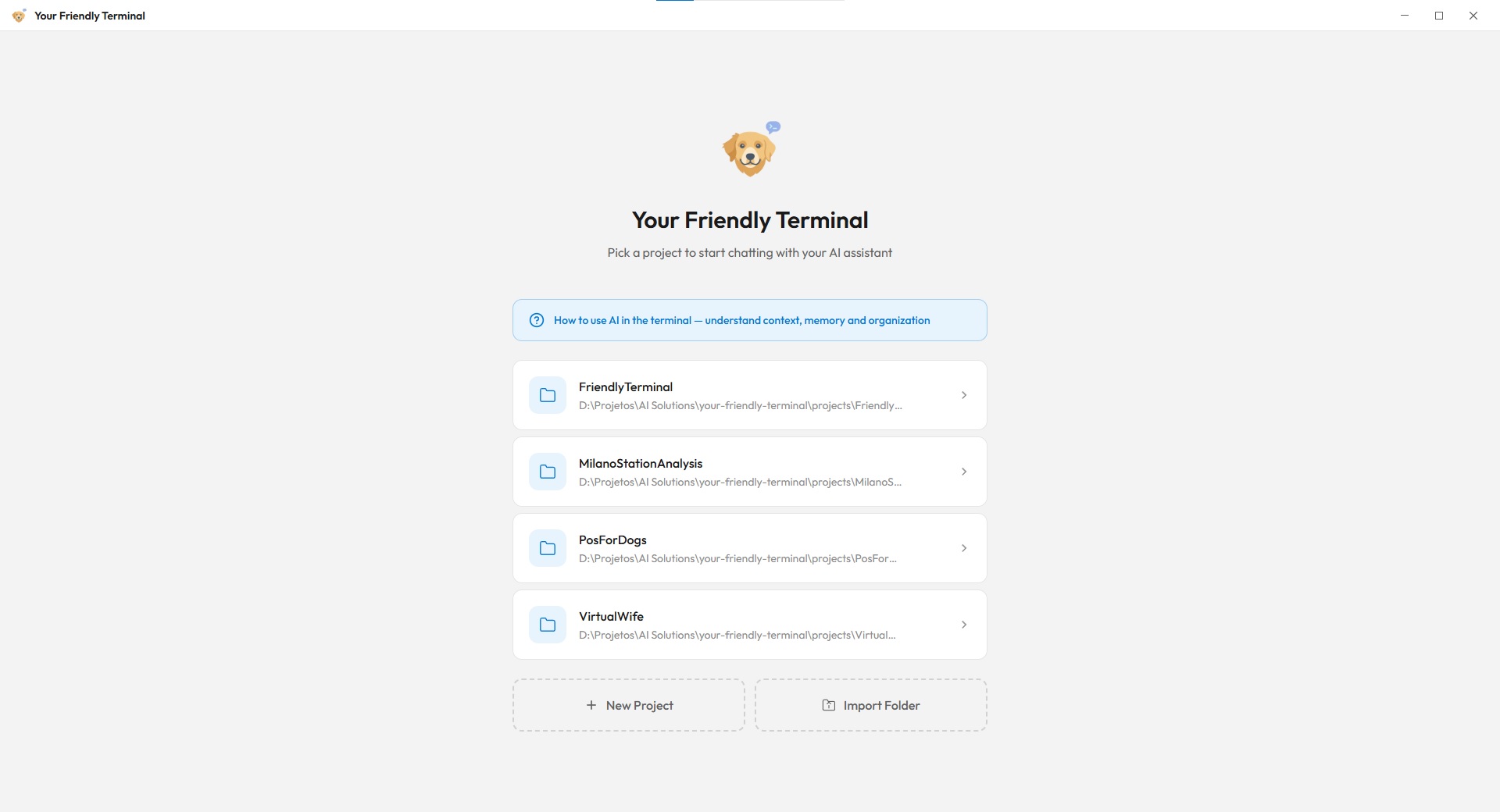
Friendly Terminal welcome screen — AI-powered desktop app with project management and terminal workspace
Scroll
100% Open Source
3 AI Engines
4 Parallel Terminals
6 Core Features
Zero Config Required
Who is this for?

You have ideas.
Now you can build them.

Your Friendly Terminal isn't just for engineers. It's for anyone who's ever thought "I wish I could build that" but didn't know where to start.

The Designer

You live in Figma but wish you could automate repetitive tasks, generate assets, or prototype with real data. Now you can — just describe what you need.

The Business Owner

You need a custom tool, a report generator, or a workflow automation. Instead of hiring a developer, describe what you want and watch it get built.

The Non-Tech

You've got ideas but no coding background. Your Friendly Terminal lets you experiment, build projects, and learn by doing — with AI as your guide.

See it in action

A workspace that
works for you.

Multiple Projects

All your projects, one window.

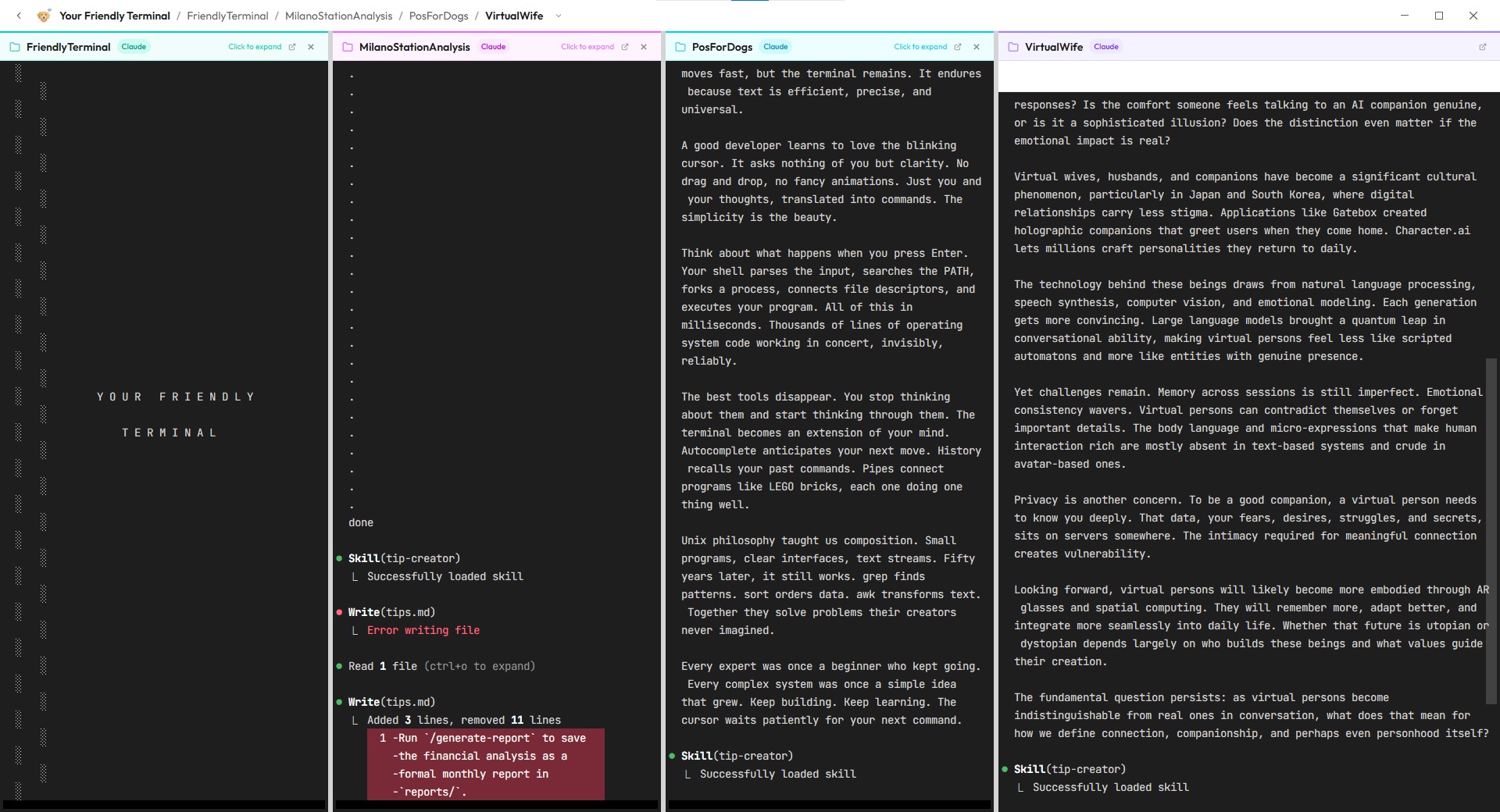
Switch between projects with tabbed navigation. Each project maintains its own AI context, file explorer, and terminal history. Work on a financial analysis while also creating a new app.

  • Tabbed project navigation
  • Isolated AI memory per project
  • Built-in file explorer with drag & drop
Friendly Terminal multi-project view — manage multiple AI development projects with tabbed navigation
Split View

Parallel AI workflows.

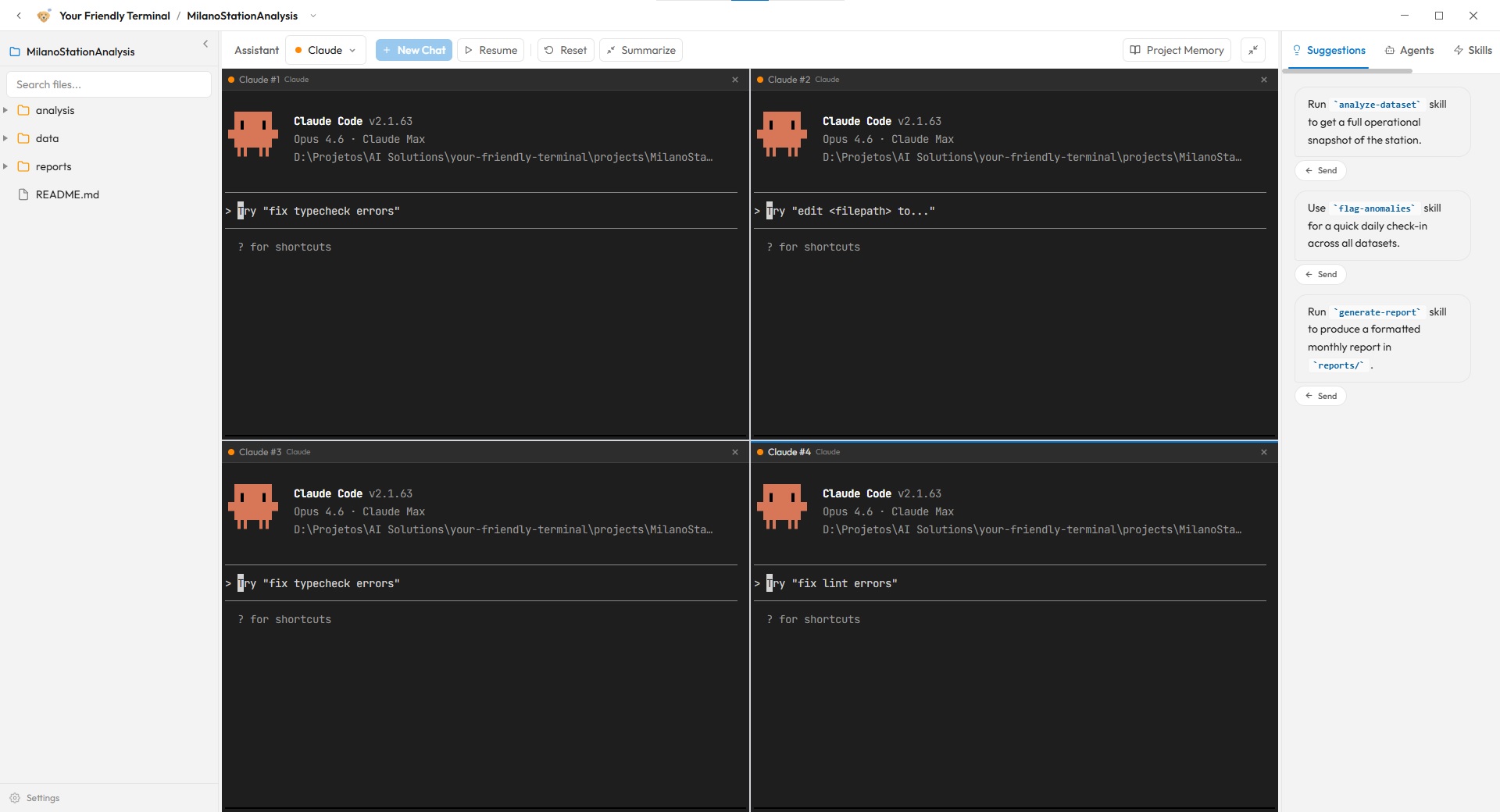
Run up to four AI terminals simultaneously - same project. Have one agent analyze your data while another builds a report. Real multitasking with real AI power.

  • Up to 4 concurrent terminals
  • Mix Claude, Gemini & Codex in one view
  • AI-powered suggestions panel
Friendly Terminal split view — run Claude Code, Gemini CLI, and OpenAI Codex side by side in parallel AI terminals
Version Control

Git, but friendly.

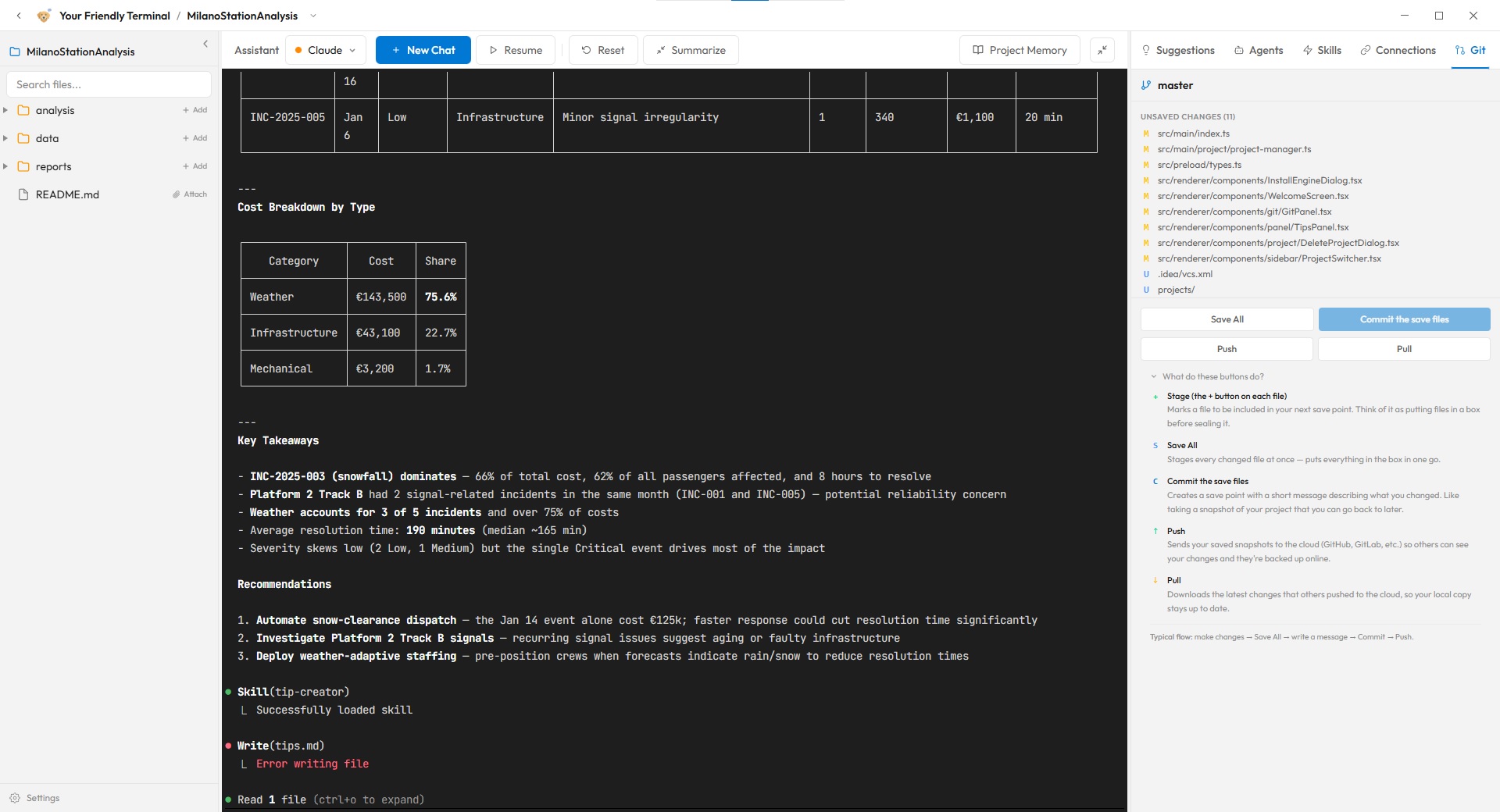
Dont know what this means? Don't worry, we got you! A visual git interface with plain-English explanations for every action. See your changes, commit with a message, push to the cloud. Every button tells you exactly what it does.

  • Visual change tracking
  • Human-readable button descriptions
  • One-click save, commit & push
Friendly Terminal built-in Git interface — visual version control with plain-English descriptions for beginners
Features

Everything you need,
nothing you don't.

A complete workspace for AI-powered development. Manage projects, run multiple terminals, connect tools, and let AI handle the rest.

Multi-Engine AI

Switch between Claude Code, Gemini CLI, and OpenAI Codex per terminal. Use the best model for each task — one click to switch.

Learn more →

Split Terminals

Run multiple AI sessions side by side. Analyze data in one terminal while building a report in another. Full multitasking.

Project Management

Organize your work by project. Each project gets its own file explorer, terminals, memory, and settings. Switch contexts instantly.

MCP Connections

Connect external tools via the Model Context Protocol. Figma, databases, APIs — plug them in and let AI use them directly.

Built-in Git

Visual git panel with plain-English explanations. Stage, commit, push, and pull without memorizing commands. Version control made friendly.

Learn more →

Skills & Agents

Create reusable AI skills and specialized agents per project. Teach your AI how your project works, then let it do the job.

Getting started

Up and running in
three steps.

1

Download & install

Grab the installer from GitHub Releases. Double-click, install, done. No terminal commands, no configuration files, no prerequisites.

2

Start building

Create a project, point it to a folder, and start telling the AI what you want. That's it. You're now building with the same tools professional developers use.

3

Have fun!

What is Friendly Terminal?

Friendly Terminal is a free, open-source desktop application for Windows that makes AI-powered software development accessible to everyone. It combines Anthropic's Claude Code, Google's Gemini CLI, and OpenAI's Codex into a single, visual interface — letting designers, business owners, students, and non-technical users build applications, automate workflows, and manage projects using natural language. Includes a visual Git interface designed for beginners. Already familiar with the terminal? You can run any CLI-based coding agent too.

FAQ

Common questions.

What is Friendly Terminal?

Friendly Terminal is a free, open-source desktop application for Windows that lets anyone build software, automate tasks, and manage projects using AI. It wraps Claude Code, Gemini CLI, and OpenAI Codex into a single, beginner-friendly interface — no coding experience required. Users with terminal experience can also run any CLI-based coding agent.

Do I need coding experience to use it?

No. Friendly Terminal is designed specifically for non-technical users — designers, business owners, students, and anyone with ideas to build. You describe what you want in plain English, and AI handles the technical implementation.

Is Friendly Terminal really free?

Yes, 100%. Friendly Terminal is open source under the GPL-3.0 license and completely free to download and use. You'll need your own API keys for Claude Code, Gemini CLI, or OpenAI Codex, which have their own free tiers.

What AI models does it support?

Friendly Terminal supports three built-in AI engines: Anthropic's Claude Code, Google's Gemini CLI, and OpenAI's Codex. You can run them simultaneously in split terminals, switch between them per task, and mix them within the same project. If you have terminal experience, you can also use any CLI-based coding agent.

What operating systems are supported?

Friendly Terminal currently supports Windows 10 and above. macOS and Linux versions are in development and coming soon.

What is MCP (Model Context Protocol)?

MCP (Model Context Protocol) is a standard that lets AI models connect to external tools and services. In Friendly Terminal, you can connect to Figma, databases, APIs, and other tools so that AI can work with your real data and workflows directly.