Claude Code, Gemini CLI & Codex
in One Desktop App.
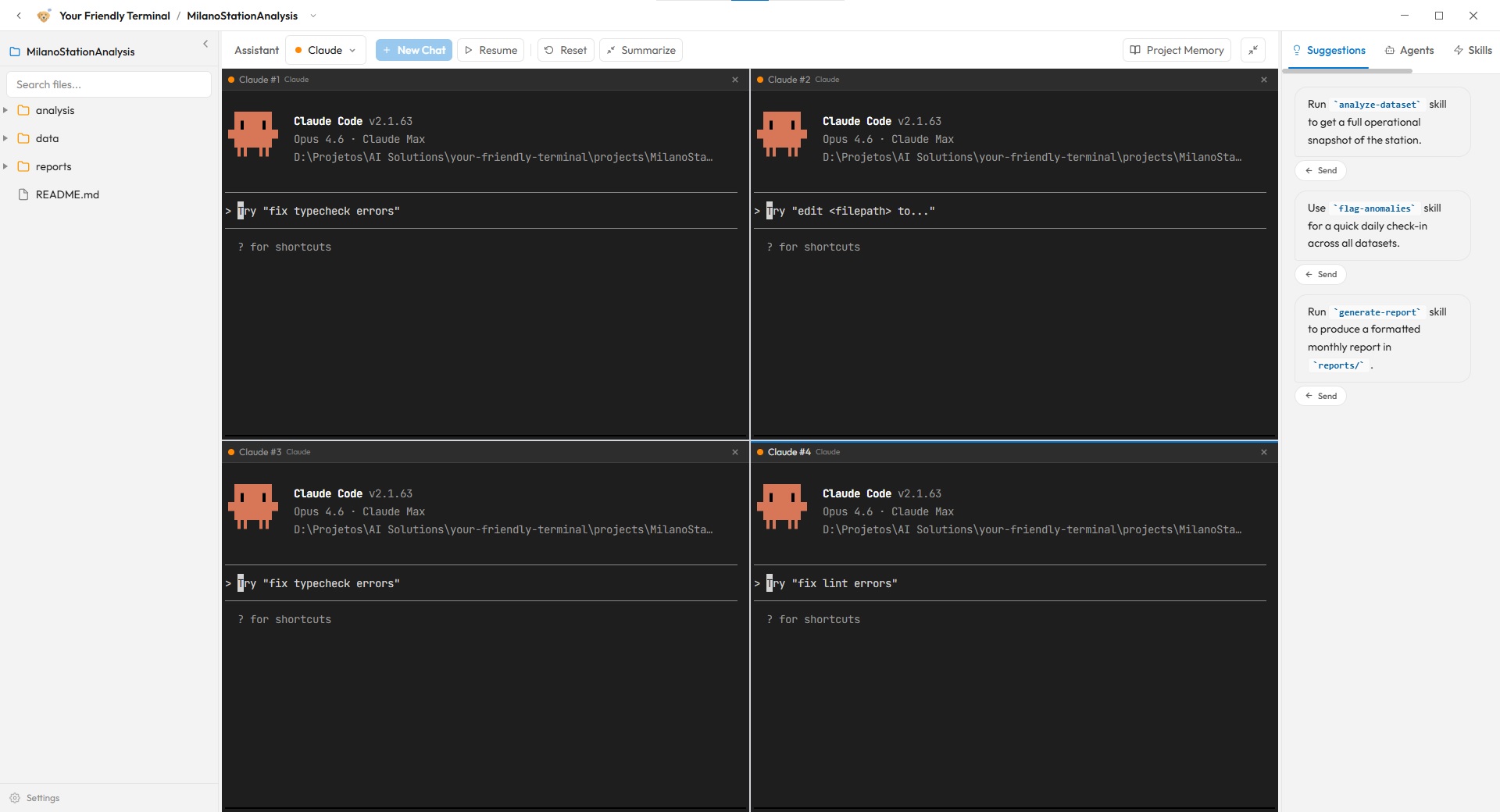
Friendly Terminal is a desktop application that lets you run Anthropic's Claude Code, Google's Gemini CLI, and OpenAI's Codex side by side. Switch between AI engines per terminal, compare outputs in real time, and use the best model for each task — all from one unified interface. If you have terminal experience, you can also run any CLI-based coding agent directly.
Why Three AI Engines?
Different AI models excel at different tasks. According to Anthropic, Claude Code is designed for careful reasoning, thorough code analysis, and safe, well-structured outputs. Google's Gemini CLI brings strong multimodal capabilities and fast iteration. OpenAI's Codex excels at code generation and rapid prototyping. Research shows that using multiple AI models for different tasks can improve output quality by 15-25% compared to relying on a single model. By combining all three in one workspace, you can leverage each model's strengths without switching between separate tools.
Switch Engines Per Terminal
Each terminal in Friendly Terminal can run a different AI engine independently. Open Claude Code in one pane for complex architecture decisions, Gemini CLI in another for quick iterations, and Codex in a third for code generation — on the same project, at the same time.
Up to 4 Concurrent AI Sessions
Friendly Terminal supports up to 4 split terminals running simultaneously. You can have Claude Code analyzing your codebase in one terminal, Gemini CLI generating new components in another, Codex prototyping in a third, and use the fourth for testing — all within the same project view.
Unified Project Context
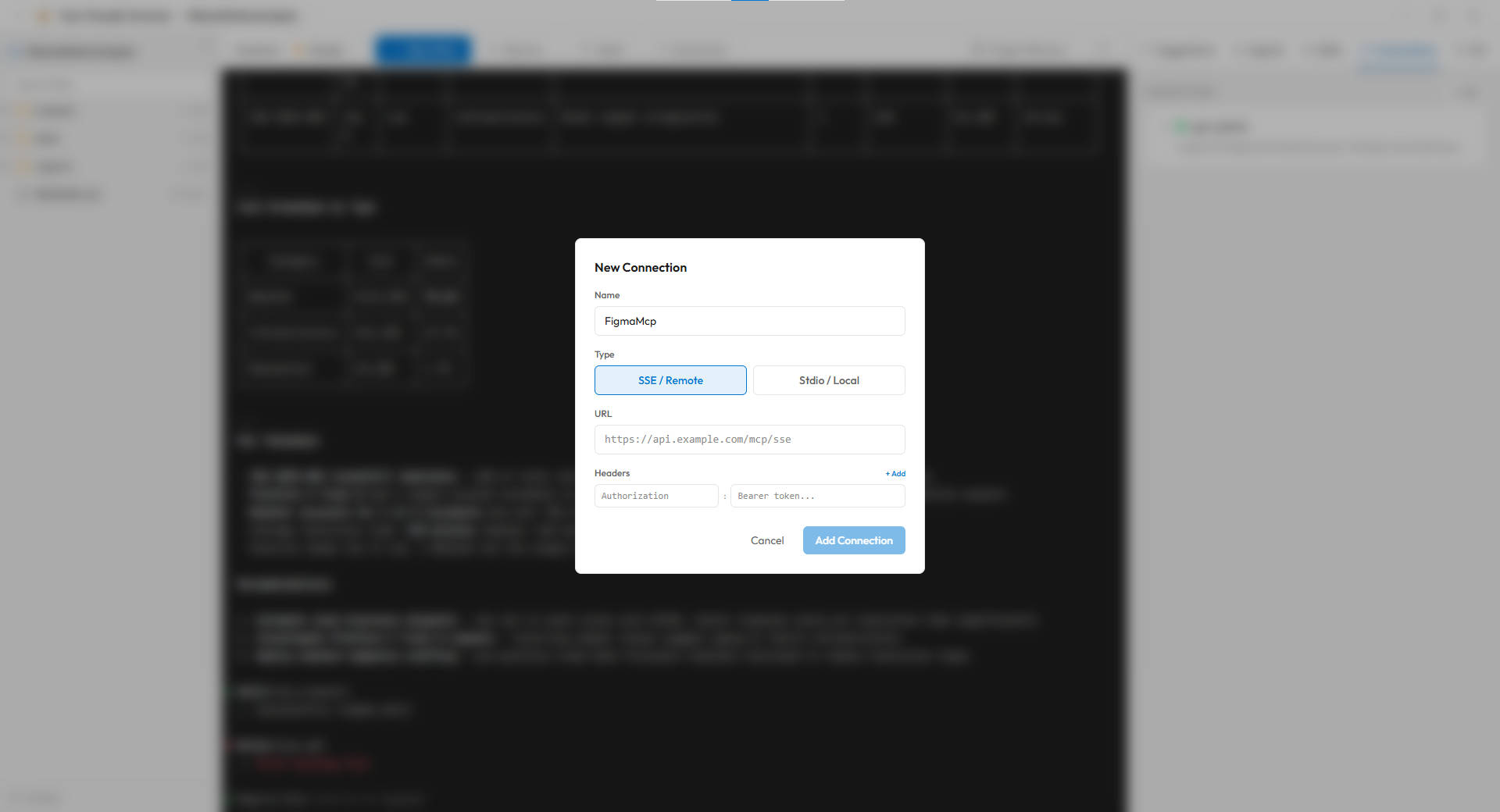
Unlike running separate CLI tools in different windows, Friendly Terminal shares project context across terminals. All AI engines can access the same file explorer, project settings, and MCP (Model Context Protocol) connections. This means consistent results regardless of which engine you choose.
How the AI Engines Compare
| Capability | Claude Code | Gemini CLI | OpenAI Codex |
|---|---|---|---|
| Code reasoning | Excellent — detailed analysis and refactoring | Good — fast iteration and generation | Strong — broad code generation capabilities |
| Speed | Thorough — takes time for accuracy | Fast — quick responses for iteration | Fast — optimized for code tasks |
| Best for | Architecture, debugging, complex logic | Multimodal tasks, UI generation, quick tasks | Code generation, rapid prototyping, scripting |
| MCP support | Full support | Full support | Full support |
Already comfortable with the terminal?
Friendly Terminal isn't limited to these three engines. If you have experience with command-line tools, you can run any CLI-based coding agent directly in the terminal — including Aider, Continue, Cline, or any other tool that runs in a shell. Friendly Terminal provides the workspace; you choose the agent.
MCP Connections for Both Engines
All three engines in Friendly Terminal — Claude Code, Gemini CLI, and OpenAI Codex — support the Model Context Protocol (MCP), an open standard that lets AI connect directly to external tools and data sources. With over 1,000 MCP servers available in the ecosystem, you can connect Figma for design work, link databases for data analysis, or plug in APIs for automation. MCP connections are configured per project and shared across all terminals.